Face ID or fingerprint for Checkout
You can manage using Face ID or fingerprint use for checkout on the Afterpay website.
Keep in mind if you turn this feature off, it won't affect logging into the Afterpay app!
Step 1: Head to Account
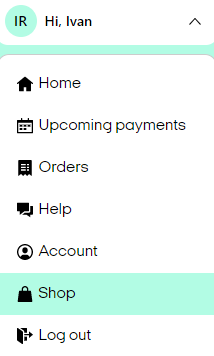
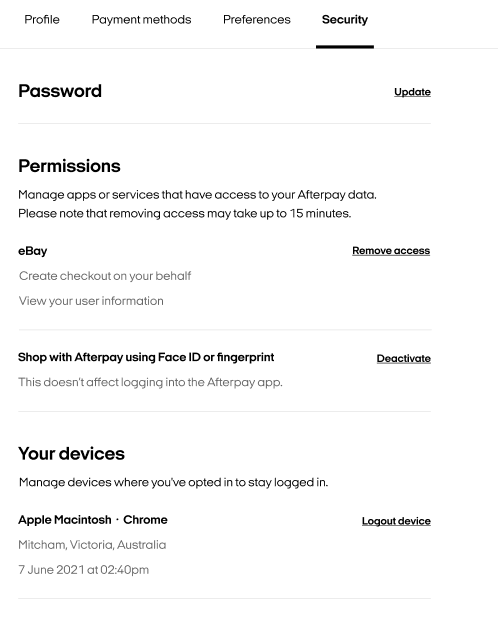
Step 2. Click on Security where under Permissions you will be able to Activate/Deactive the Face ID or fingerprint checkout feature.
Face ID or fingerprint for Log In
You can now Log in to your Afterpay app with Face ID or fingerprint. See below on how to manage this feature within the app.
Afterpay Mobile App
Step 1: Select the icon on the far right at the bottom of the screen to open My Afterpay, then select the icon in the top-right corner to open personal settings.
Step 2: Select Login settings, where you can toggle the use of Face ID or fingerprint for logging into your Afterpay app.